
Prepare with confidence. Between rehearsals.
EnsembleOS brings practice material, rehearsal planning and ensemble insight together for worship teams, choirs and ensembles.
Explore the available plans for your ensemble.
Free
For every member, on every plan
Know
Where every musician really is
Coach
Between rehearsals, not just during them
Focus
Areas to review before rehearsal
Preparation tools in one place
Bring scores, practice tracks and member confidence together for rehearsal preparation.
Confidence Tracking
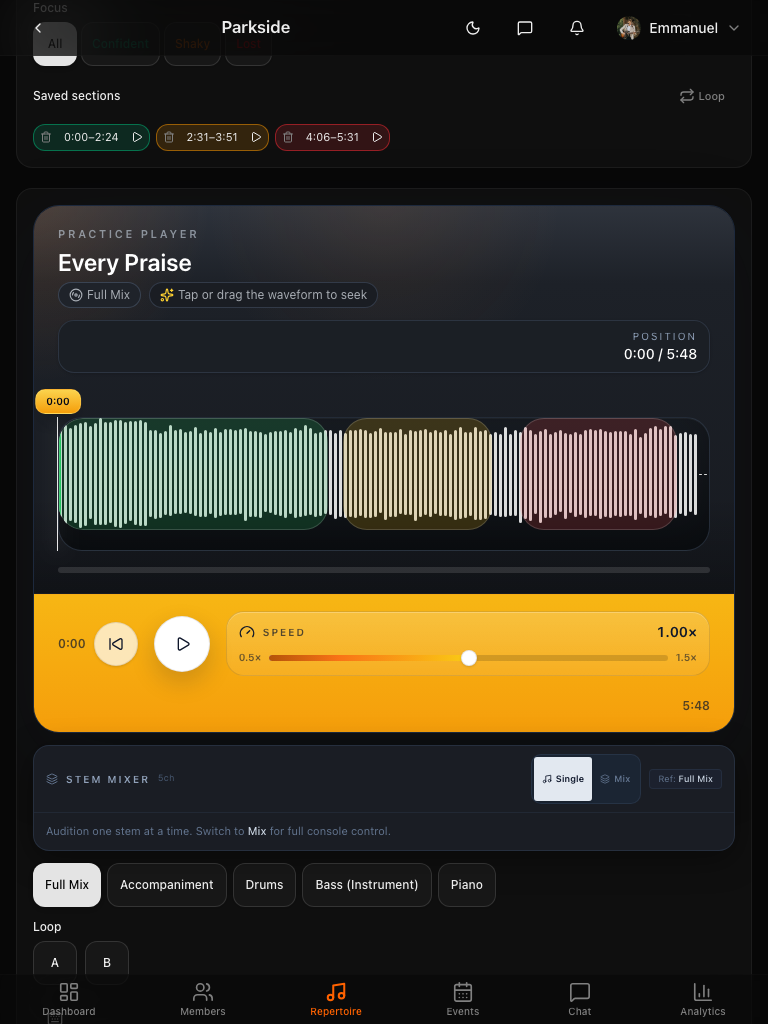
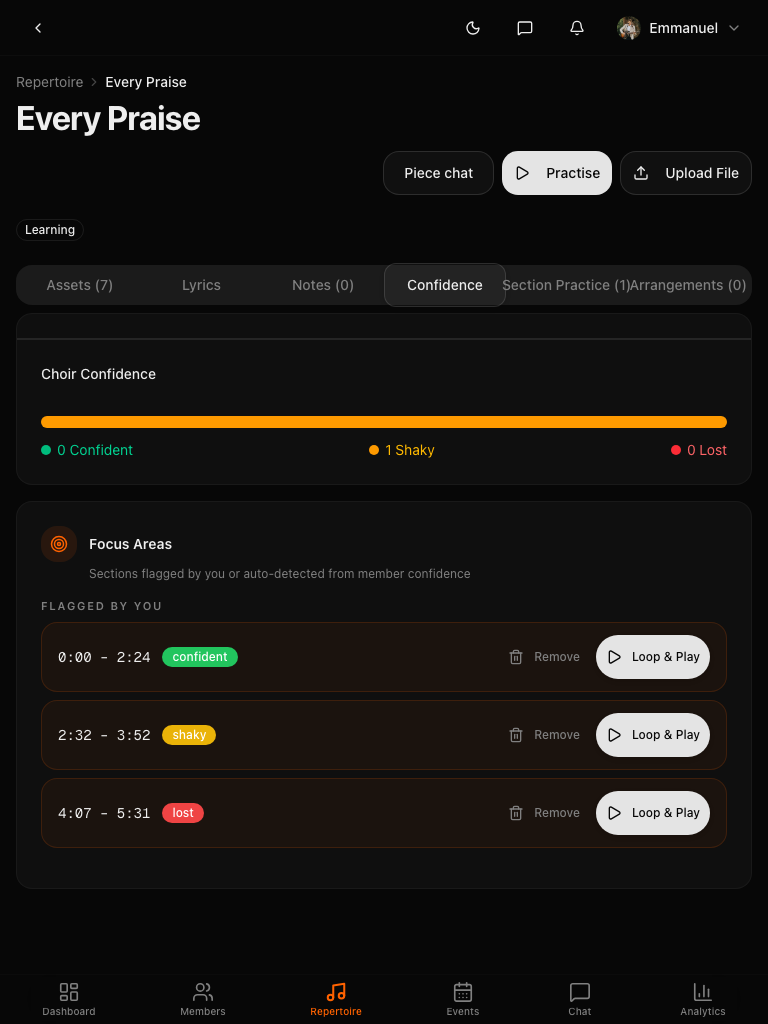
Musicians tag their confidence on any passage. You see a real-time heatmap showing exactly where to focus rehearsal time.
Section Practice & Recording
Assign a passage to a section. Members record their part and upload it. You review what came back, leave notes, and know exactly where everyone is before rehearsal even starts.
Practice Mixer
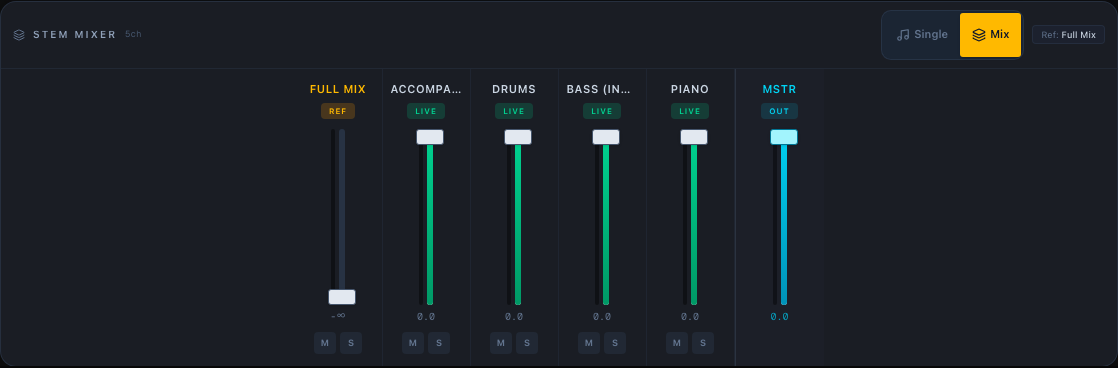
Control the volume of each instrument separately. Mute the vocals to sing along, boost the bass to learn a tricky line, or create the perfect practice mix for any part.
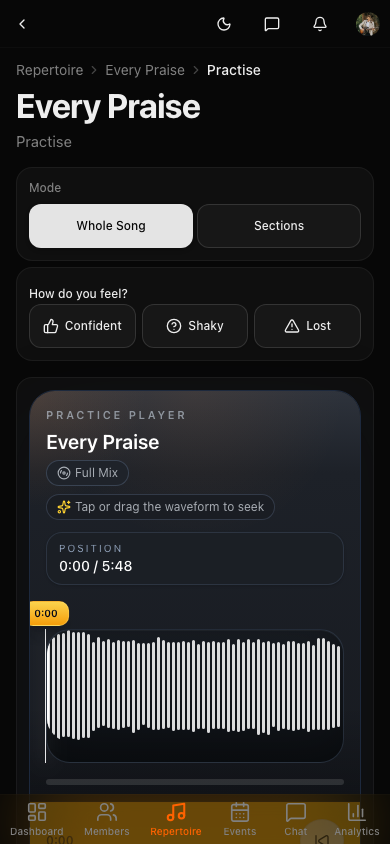
Waveform Player
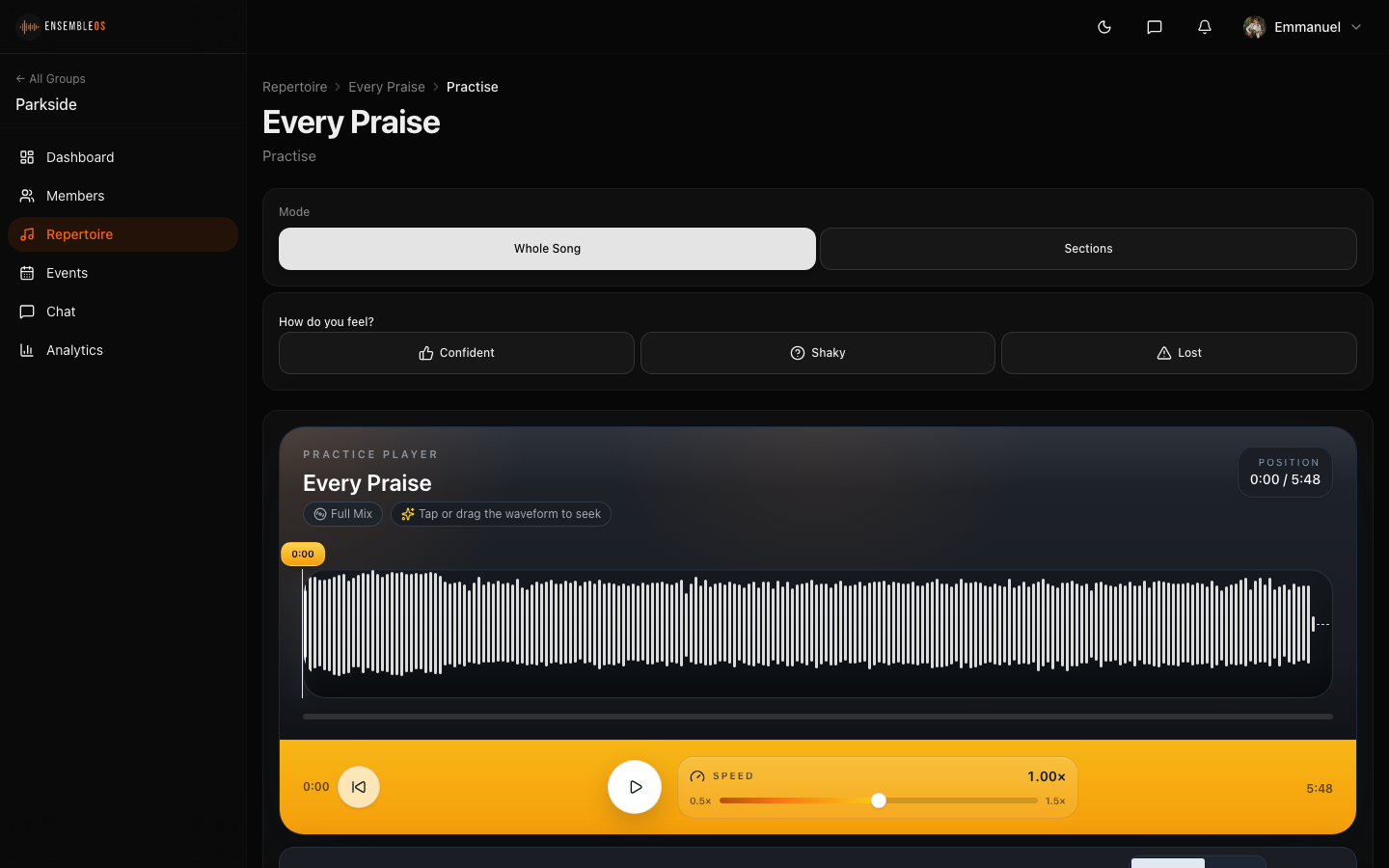
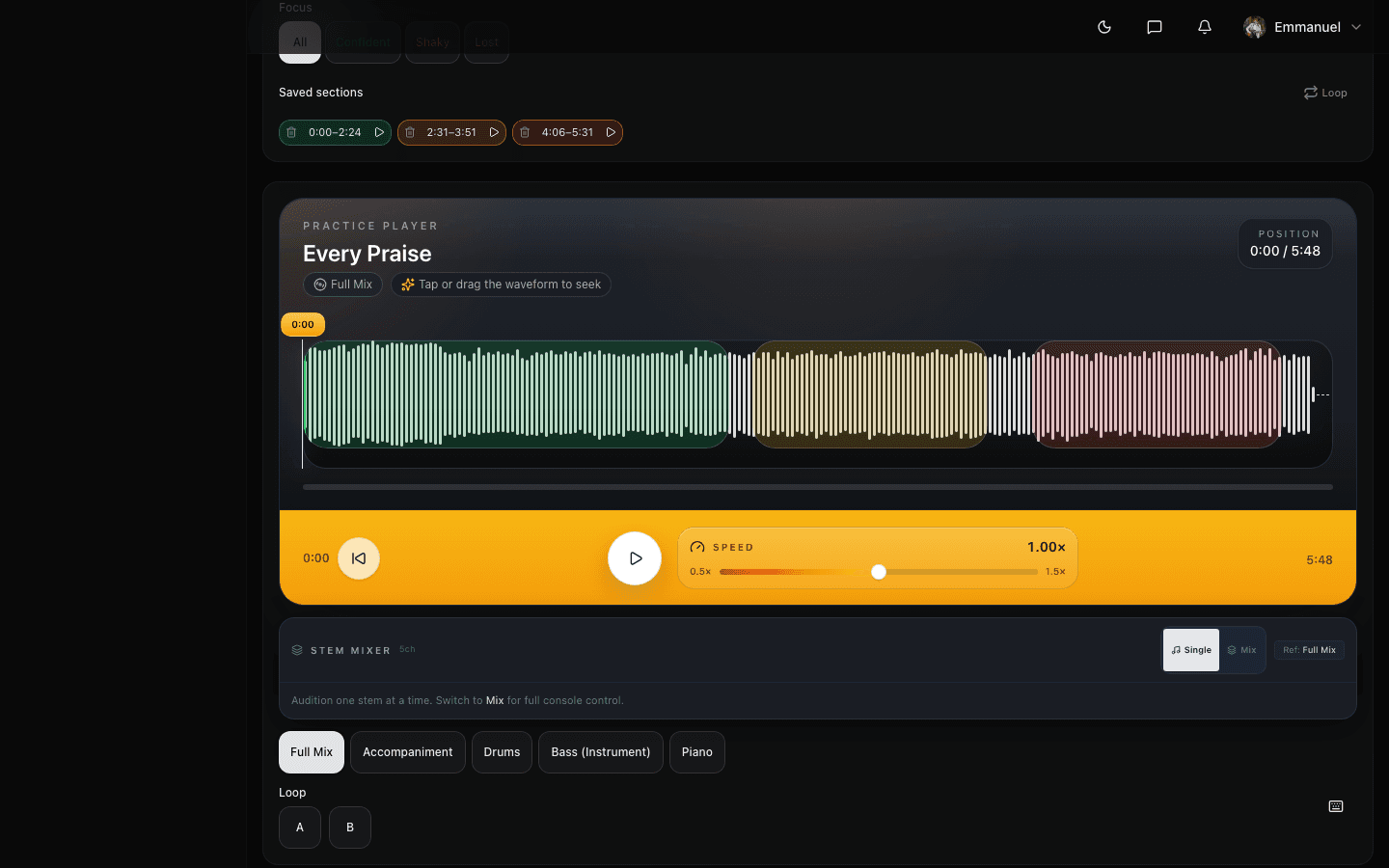
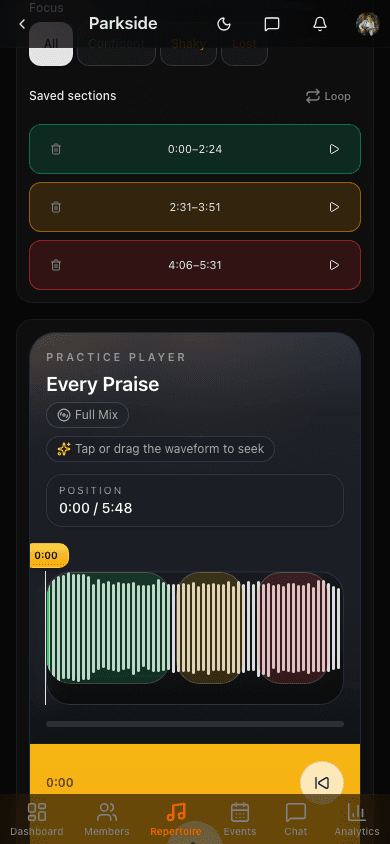
Loop any section of a recording or score, slow it down without changing the pitch, and practise at your own pace. Built for learning tricky passages.
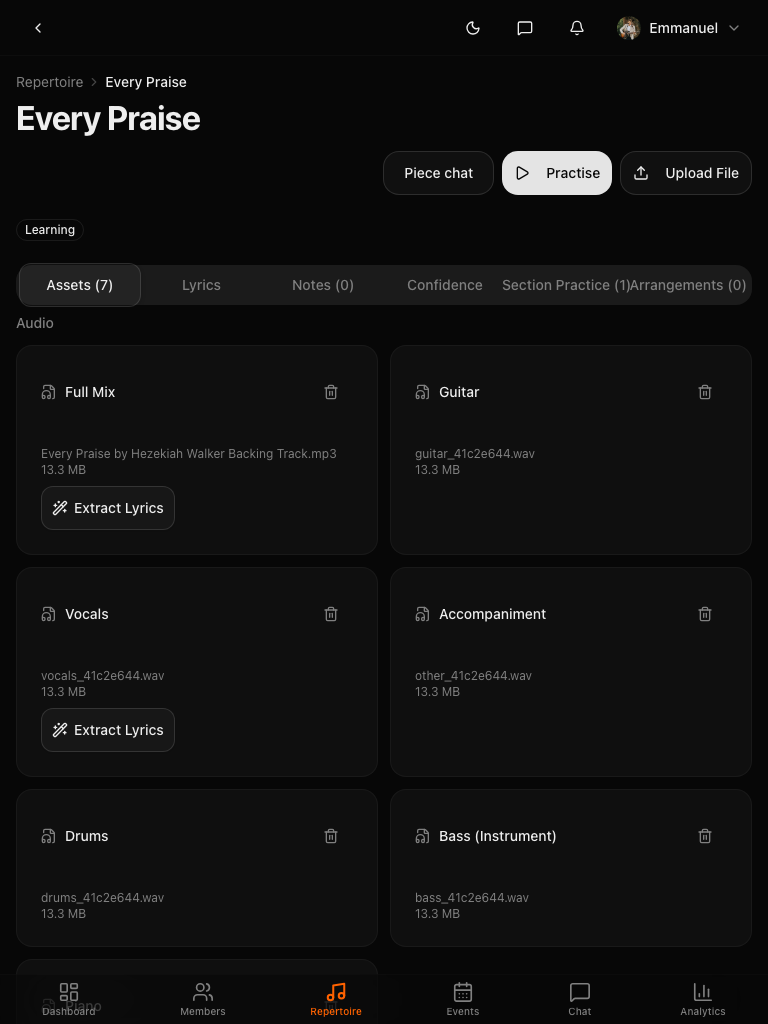
Split Any Recording Into Parts
Upload any recording and instantly get separate parts: vocals, drums, bass, guitar, piano, and more. Mute your part and play along with the rest.
URL Import & Conversion
Paste a supported audio link to preview its artwork and metadata, then import the audio ready to play or split into parts.
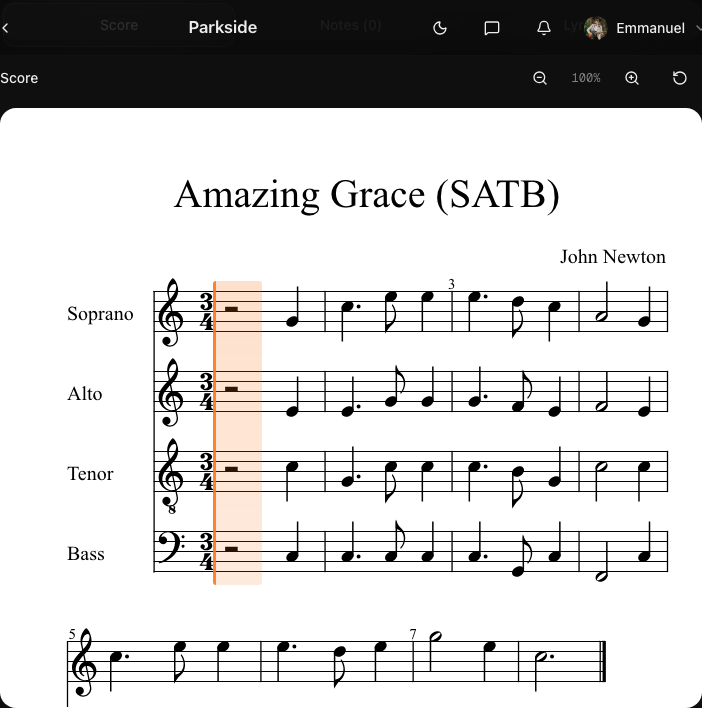
Interactive Score Reader
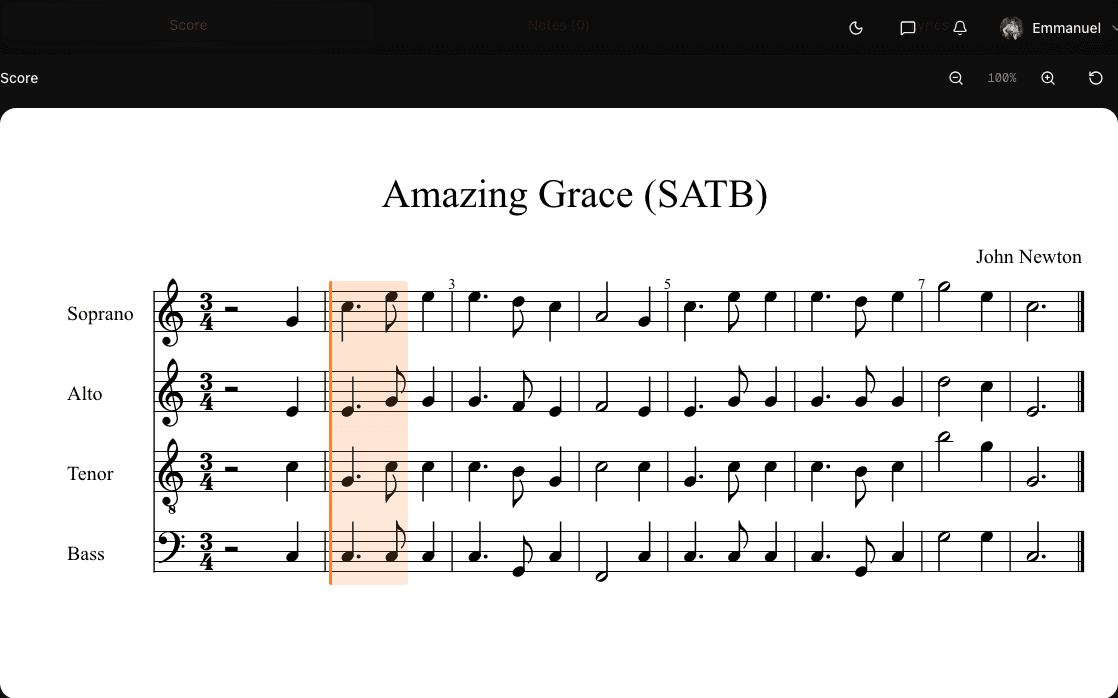
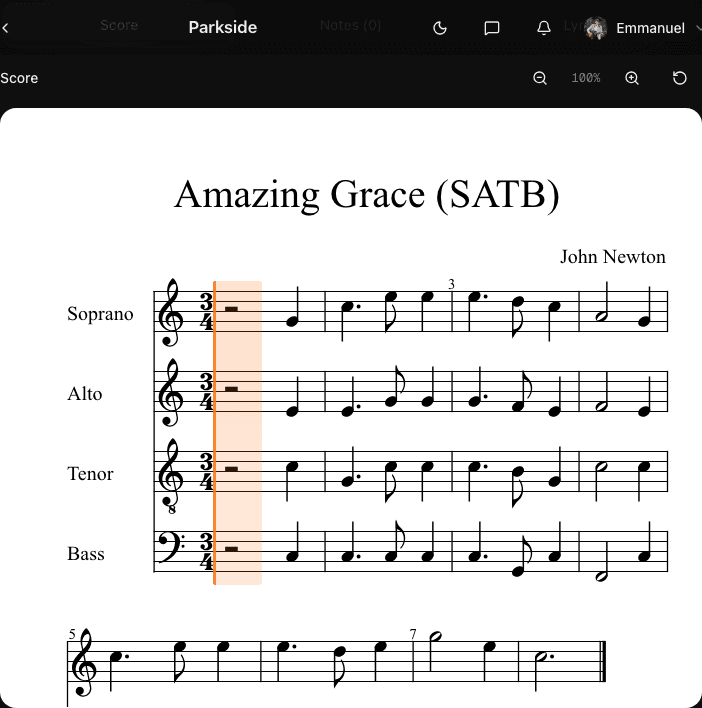
Upload a PDF and it converts to a playable score automatically. Individual parts are separated so musicians can solo their own line, follow along with an auto-scrolling cursor, section highlighting, and measure-by-measure navigation.
Part Management
Upload separate scores and audio for each section or instrument. Members see their own parts first: sopranos get soprano, guitarists get guitar, with everything else a tap away.
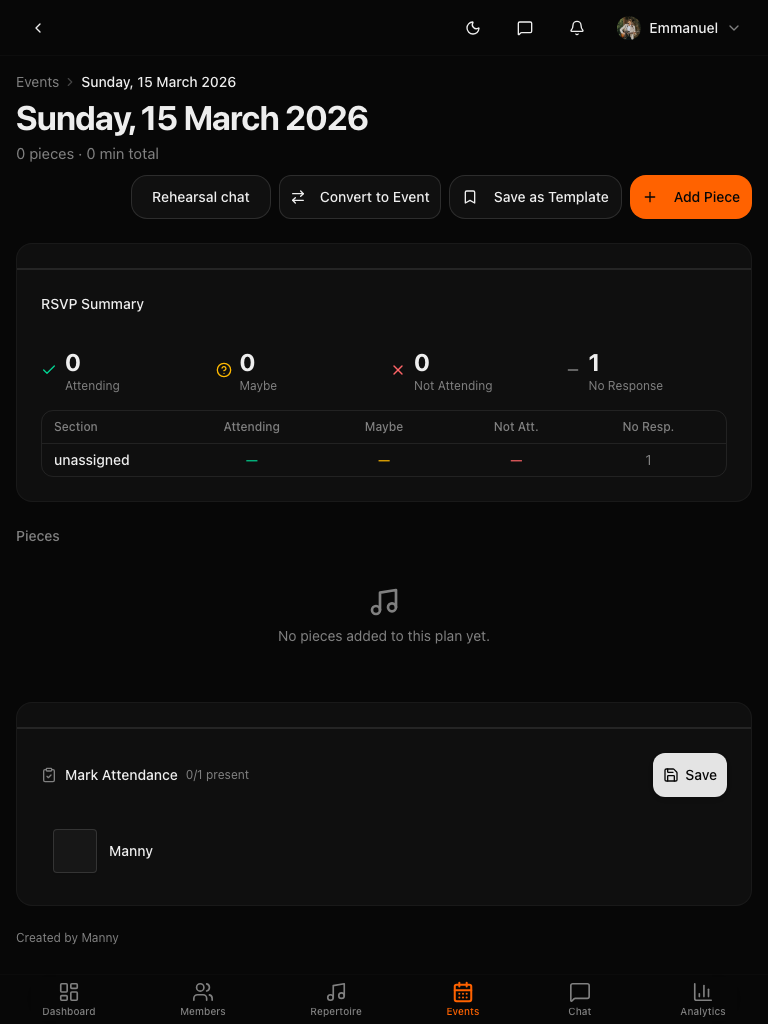
Rehearsal Planning
Timed agendas, RSVP tracking, attendance recording, and pieces linked directly to rehearsal slots.
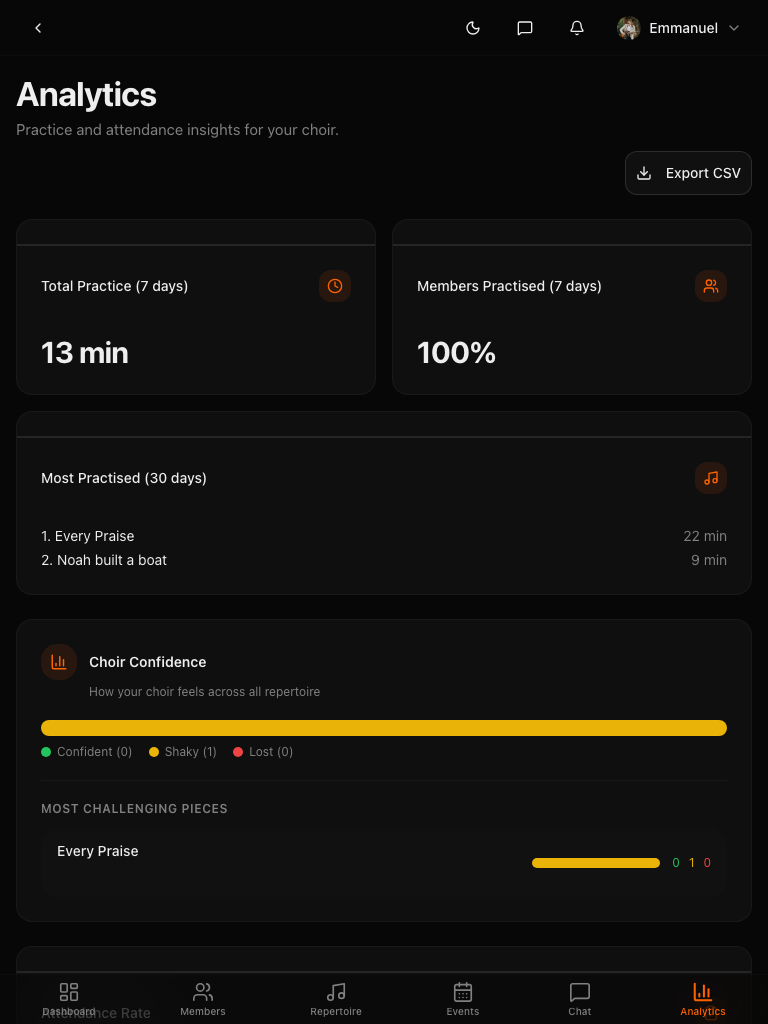
Analytics Dashboard
Who is practising, which pieces need work, engagement trends, and exportable reports for your committee.
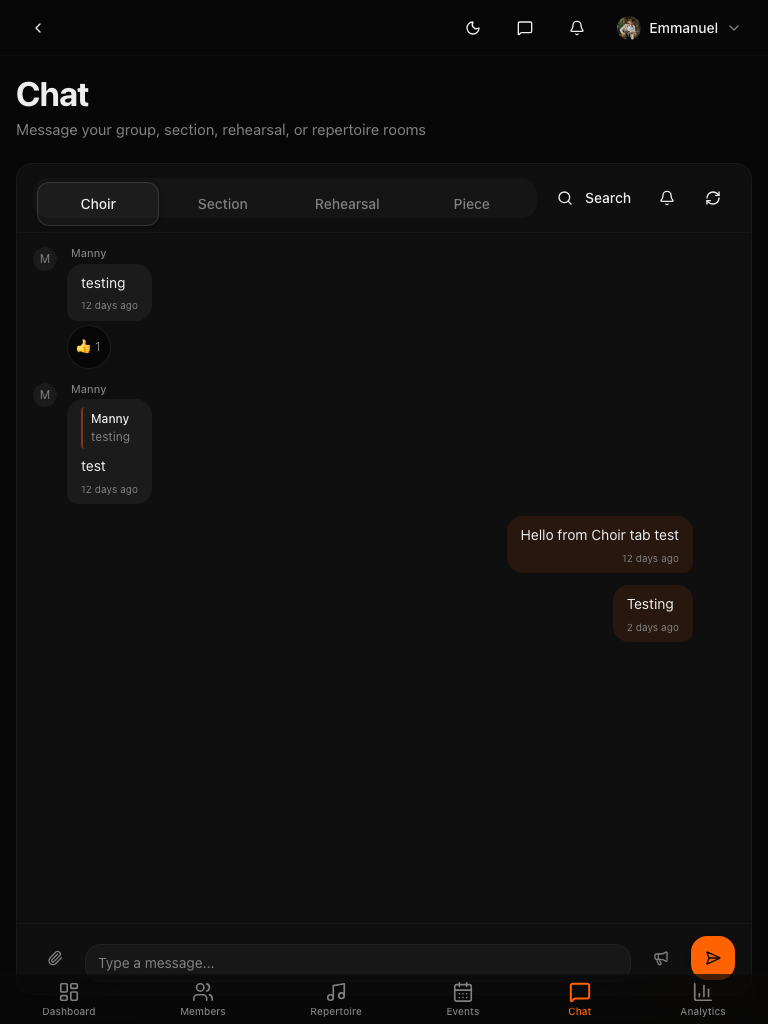
Built-in Chat
Section rooms, @mentions, file sharing, and AI moderation. Built for ensembles, not borrowed from offices.
AI Assistant
Meet Manny: your built-in AI support assistant. Get instant help with any feature, step-by-step walkthroughs, and troubleshooting. Knows your ensemble, your role, and exactly where you are.
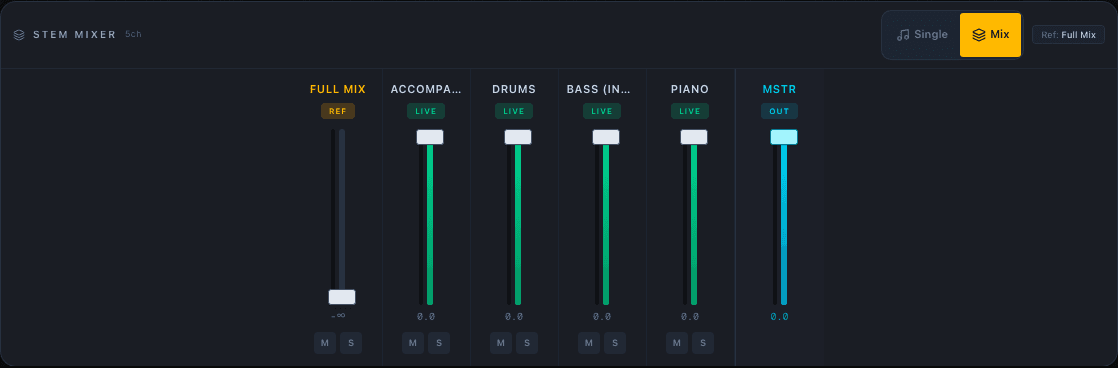
One recording. Every part separated.
Upload a recording and AI separates it into vocals, drums, bass, guitar, piano, and accompaniment. Instrumentalists mute their part and play along to the rest of the band. Singers solo the backing track and rehearse without the choir. Pianists isolate the accompaniment and practise tricky passages on repeat.
- Separates vocals, drums, bass, guitar, piano, and accompaniment
- Instrumentalists mute their part and play along
- Singers solo the backing track to rehearse independently
- Create instant backing tracks from any recording for your group to sing to
- Works with MP3, WAV, FLAC, OGG, and M4A
Know where to focus before you arrive
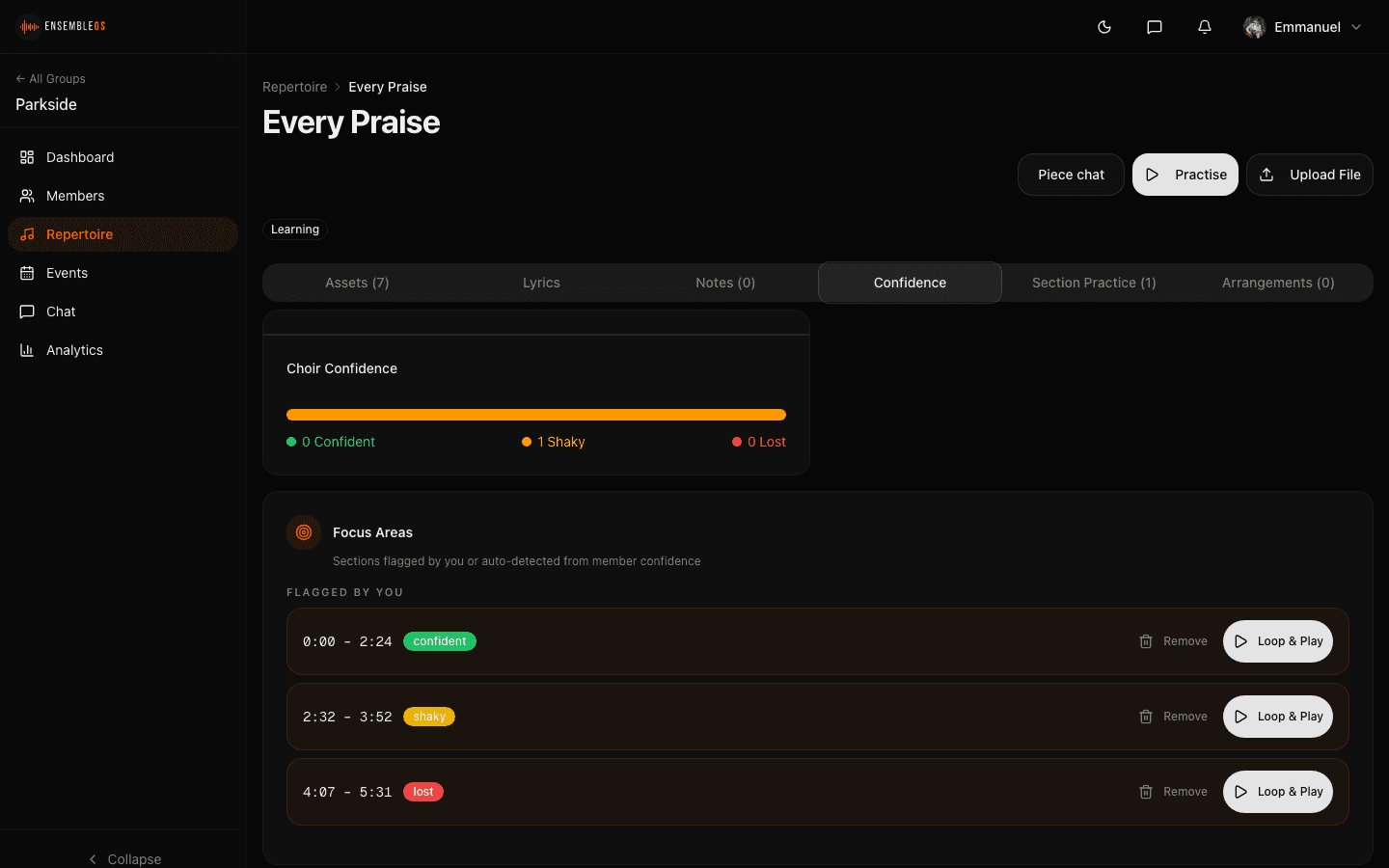
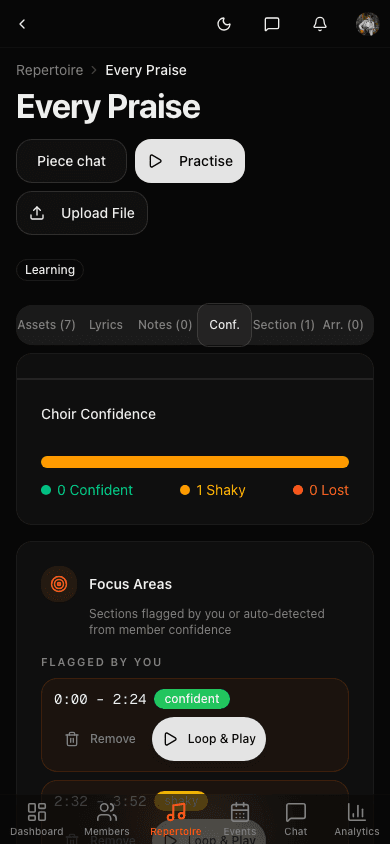
Musicians tag their confidence on any passage: confident, shaky, or lost. You see a real-time heatmap with problem areas ranked by severity and broken down by section.
- Three levels: confident, shaky, lost
- Per-section heatmap updated in real time
- Problem areas auto-ranked by severity
- One-click loop to drill any flagged passage
Upload a PDF. Get a playable score.
Upload a PDF score and EnsembleOS automatically converts it into a playable, interactive score, no manual conversion needed. Individual parts are separated so each musician can solo their own line. As the track plays, a cursor advances measure by measure in real time. Tap any measure to jump there instantly.
- PDF scores auto-converted to playable sheet music
- Parts separated: solo your line to learn it faster
- Real-time cursor synced to audio playback
- Tap any measure to jump, the player follows
- Director annotations shown inline on the score
What we do differently
Tools and workflows for preparation between rehearsals.
Built by a musician, not just developers
EnsembleOS is built by a working musician and worship leader. The product fits how rehearsals and ministry actually work, because the founder has lived it for over twenty years.
Preparation between rehearsals
Use confidence tracking, section recordings and individual progress views to organise work between rehearsals.
Designed around the ensemble
Keep rehearsal material, preparation and communication together in one shared workspace.
Modern tools, made approachable
AI stem splitting, PDF-to-score conversion and real-time analytics, made straightforward for every member of your team to use.
How to get started
Set up your ensemble, add music and organise preparation in three steps.
Create your ensemble
Set up your group, add sections and invite members with a link or QR code.
Add your music
Upload audio and PDF scores, import from a supported audio link, assign files to a section or instrument, and use AI tools to separate stems or convert scores.
Coach what really needs coaching
See where every musician is before rehearsal even starts: confidence heatmaps, section submissions, individual progress, all in one view.
Better preparation starts today
Create your ensemble and upload your first piece to explore the workflow.
Plans for your ensemble
Choose the plan that fits your ensemble's size and workflow. Features and limits are shown below.
Free
Start free, no card required
- 1 ensemble, 25 members
- 5 repertoire pieces
- 500 MB storage
- Waveform player & score display
- 2 events
Starter
For small ensembles getting organised
Equivalent to £7.17/mo
- 1 ensemble, 40 members
- 15 repertoire pieces
- 2 GB storage
- Scheduling & calendar sync
- Basic analytics
- Ensemble chat
- 5 events
Chorus
The full practice toolkit
Equivalent to £31.17/mo
- 2 ensembles, 60 members
- 30 repertoire pieces
- 10 GB storage
- A/B looping, stem switching & mixer
- 10 AI stem splits / month
- Full confidence tracking & segment tagging
- Full analytics & chat
- Unlimited events
- Rehearsal templates
Pro
For serious music-making
Equivalent to £71.17/mo
- 3 ensembles, 150 members
- Unlimited repertoire
- 75 GB storage
- Full stem mixer console
- 25 AI stem splits / month
- Practice groups & assignments
- Score annotations & arrangements
- Chat moderation & custom branding
Organisation: £1,430/year
Equivalent to £119.17/month
For multi-ensemble organisations and music departments. Everything in Pro, plus:
Enterprise: Custom pricing
For conservatoires, universities, and large organisations with bespoke requirements.
| Feature | Free | Starter | Chorus | Pro | Organisation |
|---|---|---|---|---|---|
| Ensembles | 1 | 1 | 2 | 3 | 5 |
| Members / ensemble | 25 | 40 | 60 | 150 | Unlimited |
| Repertoire | 5 | 15 | 30 | Unlimited | Unlimited |
| Storage | 500 MB | 2 GB | 10 GB | 75 GB | 200 GB |
| Events | 2 | 5 | Unlimited | Unlimited | Unlimited |
| Waveform player | |||||
| Score display | |||||
| Part management | |||||
| PDF score conversion | |||||
| A/B looping | — | — | |||
| Stem switching | — | — | |||
| Stem mixing | — | — | |||
| AI stem splitting | — | — | 10/mo | 25/mo | 50/mo |
| Confidence tagging | — | — | Full | Full | Full |
| Analytics | — | Basic | Full | Full | Full |
| Chat | — | Ensemble | All rooms | All rooms | All rooms |
| Chat attachments | — | — | Images | All types | All types |
| Practice groups | — | — | — | ||
| Chat moderation | — | — | — | ||
| Custom branding | — | — | — | ||
| Priority support | — | — | — | — | |
| Cross-ensemble dashboard | — | — | — | — | |
| Ensemble add-ons | — | 1 extra | 2 extra | 2 extra | 3 extra |
Frequently asked questions
Everything you need to know about EnsembleOS.
The Free plan includes 1 ensemble, up to 25 members, 5 repertoire pieces, the waveform player, score display and basic rehearsal planning. No card is required to create your account.
Never. Billing is handled by the director or organiser. Members get full access to every feature included in their director's subscription at no cost.
Upload a PDF score and EnsembleOS automatically converts it into a playable, interactive score with individual parts separated. Musicians can solo their own line to learn it faster. As the track plays, the cursor advances measure by measure in real time, highlighting the current position. Tap any measure to jump there instantly. You can also upload MusicXML files directly.
Upload a full audio mix and the stem-splitting service separates it into the parts supported by your selected split, such as vocals, drums, bass, guitar, piano or accompaniment. Use the built-in mixer to mute a part, solo yours or create a custom practice mix.
Yes, on supported plans. Paste a supported audio link to preview its artwork and metadata, then confirm the import to store the audio in EnsembleOS for practice or stem work.
EnsembleOS combines ensemble administration with practice tools, including a synced score reader, stem mixer, tempo control, confidence tracking and section-specific rehearsal workflows.
Yes. Assign passages to individual sections. Each member can isolate their part using the stem mixer, follow along on the score reader, and tag their confidence. Directors see exactly which sections are prepared.
Yes. Fully responsive. Musicians can practise, view scores, use the stem mixer, tag confidence, and chat from any device.
Yes. You can cancel renewal at any time from Billing. You keep paid access until the end of your current billing period. Annual plans are billed upfront, and refunds follow our Refund Policy.
Upload a clearly typeset PDF score and EnsembleOS can attempt to convert it into an interactive format. Results depend on the source notation and may need checking. Successful conversions provide a scrollable score with measure navigation, a playback cursor and section highlighting.
EnsembleOS supports MP3, WAV, FLAC, OGG, and M4A for audio uploads. For scores, you can upload PDF files which are auto-converted, or MusicXML files directly. Audio format conversion and optimisation tools are also on the way.
Yes. Depending on your plan, you can manage up to 5 ensembles from a single account. Each ensemble has its own repertoire, members, chat rooms, and analytics. The Organisation plan includes a cross-ensemble dashboard for managing everything in one view.
Musicians tag passages as confident, shaky or lost while practising. Directors see a heatmap showing where members have reported difficulty, helping them decide which passages to prioritise in rehearsal.
A connection is currently required to load scores, audio and most ensemble data. Full offline media downloads are not currently offered.
We use HTTPS, access controls and database row-level security. We use named service providers where needed to operate the product, as explained in our Privacy Policy. You can request an export or deletion through support.
Also coming to mobile
Coming soon on
App Store
Coming soon on
Google Play